
Booking form types / Choose a booking form
Bookly offers several booking form types. Choose the one that best matches how your customers usually book appointments.
Classic booking form
Section titled “Classic booking form”A standard step-by-step booking flow where customers choose a service, staff member, date and time, then enter their details.
Use it if you want a familiar booking process that works well for most appointment-based businesses.
Learn more: Classic form (Step-by-step booking form)
Modern booking forms
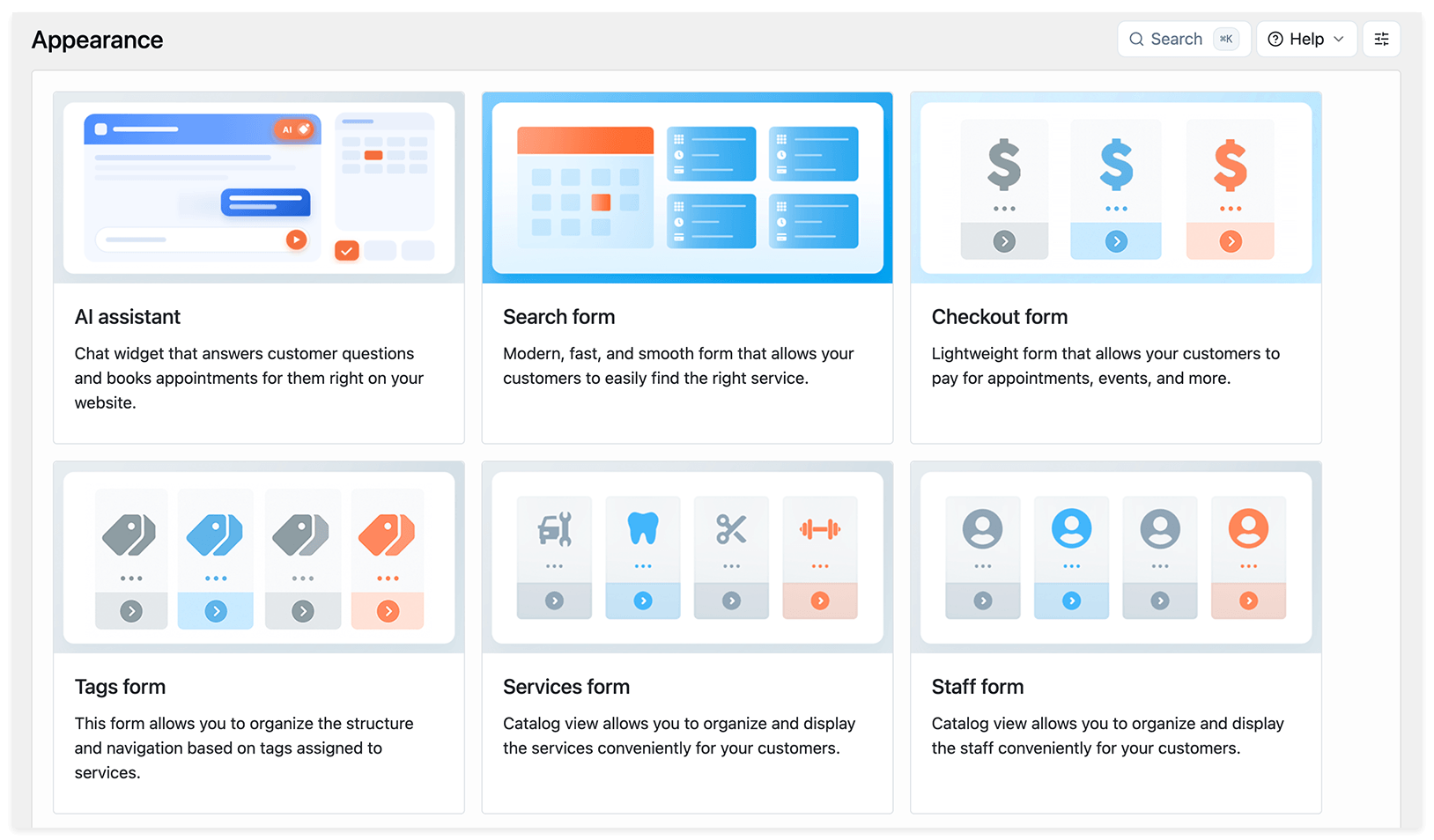
Section titled “Modern booking forms”Modern forms let customers start the booking process in different ways:
- Search form: customers choose a date first, then see available services and staff members.
- Services form: customers browse services in a catalog view.
- Staff form: customers choose a staff member first.
- Tags form: customers narrow down services using tags in one or more filtering steps.
Use these forms if you want a more visual or specific booking flow.
Learn more: Modern booking forms
AI Assistant booking form
Section titled “AI Assistant booking form”A conversational booking form where customers can create appointments through chat. Customers can use buttons to select services, staff members, and time slots, and pay using the available payment options.
Use it if you want to guide customers with a chat-style booking experience.
Learn more: AI Assistant booking form
Other forms
Section titled “Other forms”Bookly also includes forms for specific actions:
- Cancellation form: lets customers cancel appointments.
- Checkout form: lets customers pay for appointments, events, or tickets through a direct checkout link.
What to do next
Section titled “What to do next”After choosing a form, customize it in Bookly > Appearance, then add it to a WordPress page or post.
Learn more: Publish Booking Form